


Re: FFXI Bench 2 Score / Specs
High - 6212
Low - 8008
specs:
Abit AN8 32x
A64 3500+ w/zalman9500
kingston DDR400 512x2
evga 7900gto
antec NeoHE 550w
on a second note, my cpu and mem are most likely holding me back a bit... hope i can replace those soon...
-
Re: FFXI Bench 2 Score / Specs
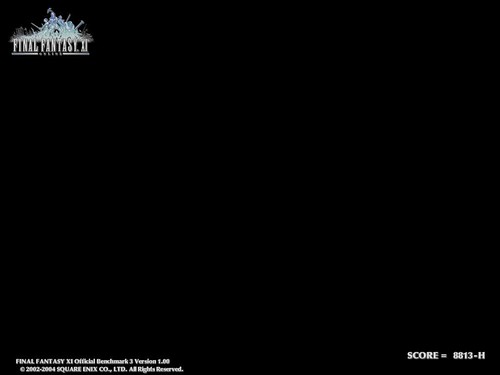
[code]-------------------------
CPU-Z version 1.36
-------------------------
Processor 1 (ID = 0)
Number of cores 2
Number of threads 2 (max 2)
Name Intel Core 2 E6700
Codename Conroe
Specification Intel(R) Core(TM)2 CPU 6700 @ 2.66GHz
Package Socket 775 LGA (platform ID = 0h)
CPUID 6.F.6
Extended CPUID 6.F
Core Stepping B2
Technology 65 nm
Core Speed 2666.7 MHz (10.0 x 266.7 MHz)
Rated Bus speed 1066.7 MHz
Stock frequency 2666 MHz
Instructions sets MMX, SSE, SSE2, SSE3, SSE4, EM64T
L1 Data cache 2 x 32 KBytes, 8-way set associative, 64-byte line size
L1 Instruction cache 2 x 32 KBytes, 8-way set associative, 64-byte line size
L2 cache 4096 KBytes, 16-way set associative, 64-byte line size
FID/VID Control yes
FID range 6.0x - 10.0x
max VID 1.213V
Video Card
------------------------------------------------------------------------------
EVGA GeForce 7950 GX2
NVIDIA 7950 GX2
500 MHz GPU
48 Pixel Pipelines
400 MHz RAMDAC
Memory
1024 MB, 512 bit DDR3
1200 MHz (effective)
76.8 GB/s Memory Bandwidth
Interface
PCI-E 16x
DVI-I, DVI-I, HDTV-7
SLI Capable
Resolution & Refresh
240 Hz Max Refresh Rate
2048 x 1536 x 32bit x85Hz Max Analog
2560x1600 @ 60Hz Max Digital
Chipset
------------------------------------------------------------------------------
Northbridge nVidia nForce4 SLI Intel Edition rev. C1
Southbridge nVidia nForce4 MCP rev. A4
Graphic Interface PCI-Express
PCI-E Link Width x8
PCI-E Max Link Width x16
Memory Type DDR2
Memory Size 1024 MBytes
Memory Frequency 400.0 MHz (2:3)
CAS# 5.0
RAS# to CAS# 4
RAS# Precharge 4
Cycle Time (tRAS) 17
Bank Cycle Time (tRC) 21
Memory SPD
------------------------------------------------------------------------------
DIMM #1
General
Memory type DDR2
Manufacturer (ID) Corsair (7F7F9E0000000000)
Size 512 MBytes
Max bandwidth PC2-6400 (400 MHz)
Part number CM2X512-8500
DIMM #2
General
Memory type DDR2
Manufacturer (ID) Corsair (7F7F9E0000000000)
Size 512 MBytes
Max bandwidth PC2-6400 (400 MHz)
Part number CM2X512-8500
Software
------------------------------------------------------------------------------
Windows Version Microsoft Windows XP Professional Service Pack 2 (Build 2600)
DirectX Version 9.0c
[/code]Last edited by Omniblast; 10-16-2006, 06:34 AM.Leave a comment:
-
Re: FFXI Bench 2 Score / Specs
hahaI just ran bench 2 on high on the new computer I just built:
8518Leave a comment:
-
Re: FFXI Bench 2 Score / Specs
YAY My score on Benchmark 3
Low = 3420
High = 2100
My specs look like this: Oh yeah everything from screws to software was dun myself!
Windows XP Home SP2
Intel P4 w/ 2.53Ghz
2x1GB PC3200 (mebe runing at PC2100) DDR RAM
nVIDIA GeForce FX 5500 256MB (I kinow its not great card)
40GB Hard Drive (5,200 RPM )
)
Leave a comment:
-
Re: FFXI Bench 2 Score / Specs
on bench 3 i get 4600ish on low and 2500ish on high.
my setup:
amd 3500+
1GB ram
X300SE (im craving a 6600gt (i need a job :'())
EDIT; i redid bench3 with msn, 4 IE windows, P2P, and stardownloader running in the backround and i got:
low:4762
high 2310
The 1GB of ram helps :DLast edited by pearlsea; 09-06-2005, 08:03 PM.Leave a comment:
-
Re: FFXI Bench 2 Score / Specs
Just upgraded my pc to 3.2 ghz (northwood).
I get 5763 on Benchmark 2 and 6165 on Benchmark 3 now. Both low res scores.
Edit: The above were with MSI 71.25 drivers. I just installed the MSI 77.72 drivers and got a 267 to 400 point increase.
I get 6164 on Benchmark 2 and 6432 on Benchmark 3 on low res.
I also forgot to mention that I'm using a SB Audigy LS sound card instead of mobo sound.Last edited by fastcart; 09-07-2005, 08:38 PM.Leave a comment:
-
alright, i just edited my post regarding the multiple benchmark tests to reflect the low settings. I didn't get to test them on a couple namely because they're already in use by the other PC's, and too lazy to take them off.
If you had noticed again, the 9800p takes over the 6600gt in bench2 as well. In the LOW benchmarks, they're almost identical, which leads me to think that there's something in high settings in ffxi (1024x768 resolution) that causes some sort of slowdown at a certain sequence or something.
I have 4 pc's to watch and test, two are of my own. I notice that in some areas, the ATI doesn't have a particular sluggish movement in some scenes that my 6600gt gives off.
The way I have scores of exact numbers, is because I round the numbers to the clostest hundredth / 50's.
for example, if i got
3010 > I put ~3000
3025 > I put ~3050
3051 > I put ~3050
3075 > I put ~3100
etc
etc, I mainly do this because sometimes it seems that there's inconsistency in the benchmarks - a few times I'll get scores some points higher, other times they'll be lower.
As for the post regarding that other P4 2.4, I have no clue about that. It does seem like the same Radeon > 6600GT is happening again.
I'm thinking the difference between yours and theirs, that it may have had something to do with the memory, if you see that they're using Kingston PC3500 with optimal settings, so it's likely that it can handle memory timings much quicker.
I think CL2 and CL3 timings can play a small difference in FFXI benchmark, since the game relies a lot on memory instead of just raw cpu and video. If just adding more ram just helps ingame with other characters (ex, rendering all the people in low jeuno)
I remember before, i had 512MB intially in my A64 3000+ and 9800p system, then I put in another 512mb of the same brand, ran the benchmark, my points only went up by around 10-20.
Also, some 6600GT's are faster than others.
check out:

some run at a slightly higher clockspeed from factory default. IIRC, XFX GF6600GT has a memory clock at factory 1000mhz while our MSI's only have it at 900. But the MSI still beats them in some games.Leave a comment:
-
Can you post low res scores? That's what the official benchark is suppose to use to tally scores.
"Note: The following scores are for low-resolution mode."
Using that guide you can better tell how well your pc does.
Btw, I run 6600 gt at 1280x1024 just fine I use the newer msi drivers tho (71.25), not the 66.93 as suggested by SE. Even so, I don't see how a pc with similar setup as mine (p4 2.4 cpu, 1 gig ram, msi 6600 gt as with the http://www.hothardware.com/viewartic...05&page=2&va=y link) can get a 4719 score on high res, where I get 4413 on ffxibench2 and 3635 on ffxibench3 w/o AA or AF. If they used low res scores then I'd be able to see what they really mean.Leave a comment:
-
Check out these, there are a lot more, but I did not bookmark them.Originally posted by GSDragoon
( I don't understand.) My 6800 runs it just fine.

You'll see that generally the 96XX and higher series ATI beats the 6XXX and equivalent Ti4XXX series almost everytime in FFXI usually, which the only explainable reasoning I can think of is some driver or setting incompatibility between the two. It's definately not Nvidia side, you notice that in other games, given proper settings, Nvidia beats the competition. Only in FFXI, there seems to be some sort of incompatibility, and that is something square should get around to fixing.
Granted, the difference is not much - usually around up to 5-15% difference. But that small difference, is what makes a pet peeve for people like me, who want top notch performance.Leave a comment:
-
( I don't understand.) My 6800 runs it just fine.Also, the 6600/6800 graphics card series line seems to may be having problems with FFXI. It's as if there is a driver or setting incompatibility with the cards, that doesn't allow them to run at the best possible. Hopefully SE will fix this in the future, but for now, there is not much that can be done to tweak the FFXI benchmarks. One thing I have found that bumped it up significantly is the 'Fastwrites' options. Please set this in your bios to OFF to see if it makes a difference. If not, turn it back on. Also your AGP Aperature size should be set to 128/256 if you have a really good graphics card.Leave a comment:
-
Alright, have some new numbers.
I tried Benchmark 2,and Benchmark 3.
Apparantly, it seems that ATI is better suited for FFXI at 1024x768 (high mode) benchmark. I spent much of time trying to tweak my PC's getting it to work top notch.
But if you read a lot of other benchmarking sites, you'll see that the Nvidia Geforce 6600/6800 series is literally head to toe with the ATI Radeon 9800/x800 series in 1024x768 resolution. Sometimes the ATI comes out faster though.
When you start looking at the resolution being cranked up - such as 1280x1024, 1600x1200, ATi cards start falling behind, and the Nvidia cards perform better.
So what's the point of this? My point in this is being that although ATI almost all the time beats Nvidia everywhere from left to right with the FFXI Benchmark 2/3, ingame it may differ, because some players set their resolution to 1280x1024 or even higher. The benchmark doesn't have a higher resolution mode, which makes it misleading.
Also, the 6600/6800 graphics card series line seems to may be having problems with FFXI. It's as if there is a driver or setting incompatibility with the cards, that doesn't allow them to run at the best possible. Hopefully SE will fix this in the future, but for now, there is not much that can be done to tweak the FFXI benchmarks. One thing I have found that bumped it up significantly is the 'Fastwrites' options. Please set this in your bios to OFF to see if it makes a difference. If not, turn it back on. Also your AGP Aperature size should be set to 128/256 if you have a really good graphics card.
And now without further ado, I've tested about 4-6 different setups. Some were just video cards changed, so you can get an idea of how much it can change the scores.
If you look at the previous post I made, I had some small benchmarking results posted on my website.
Computer A.
Asus K8V SE Deluxe
AMD Athlon 64 3000+ Socket 754
1GB Kingston Valueram PC3200 DDR400 CL3
ATI Radeon 9800Pro 128MB AGP8X
Catalyst ver 5.3 / 5.5
Benchmark 3: ~4500 on high, ~6500 on low
Benchmark 2: didn't try / forgot
Computer B.
Asus K8V SE Deluxe
AMD Sempron 3100+ Socket 754
1GB Kingston Valueram PC3200 DDR400 CL3
ATI Radeon 9800Pro 128MB AGP8X
Catalyst ver 5.3 / 5.5
Benchmark 3: ~4000 on high, ~5800 on low
Benchmark 2: didn't try / forgot
Computer C.
Asus K8V SE Deluxe
AMD Athlon 64 3000+ Socket 754
1GB Kingston Valueram PC3200 DDR400 CL3
MSI Nvidia 6600GT NX6600GT-VTD128 128MB AGP8X
Nvidia Forceware ver 66.93, 71.25(MSI Optimized), 71.89
Benchmark 3: ~4050 on high, ~5900 on low
Benchmark 2: ~5000 on high, ~5650 on low
Computer D.
Asus A7N8X Rev 1.6 (1.008 bios)
AMD Athlon XP 3000+ Socket A (333fsb)
512MB Samsung PC2700 DDR333 CL2.5
ATI Radeon 9800Pro 128MB AGP 8X
Catalyst ver 5.3 / 5.5
Benchmark 3: ~4100 on high, ~5750 on low
Benchmark 2: ~5200 on high, ~5600 on low
Computer E.
Asus A7N8X Rev 1.6 (1.008 bios)
AMD Athlon XP 3000+ Socket A (333fsb)
512MB Samsung PC2700 DDR333 CL2.5
Nvidia GeForce 4 MX420 64MB AGP 4X
Nvidia Forceware ver 71.89
Benchmark 3: ~1900 on high, ~3000 on low
Benchmark 2: didn't try / forgot
Computer F.
MSI K8T Neo FSR
AMD Sempron 3100+ Socket 754
512MB PQI PC3200 DDR400 CL3
Visontek Nvidia GeForce 4 Ti4600 128MB AGP 4X
Nvidia Forceware ver 71.89
Benchmark 3: ~3000 on high, ~4750 on low
Benchmark 2: ~3600 on high, ~4800 on low
hope this helps some people out.
POWER SUPPLY INFO
For the people wanting to get the higher end graphics cards today - mainly above the 9700pro / GeForce 6XXX + series, you need a decent power supply. Having a crap or power supply that came with your computer case, I'm sure that over 90% of the time cannot cut and handle the good graphics cards. Worse comes to worse, you could even physically fry your own pc parts if your power is inadequate.
A good way to know if your powersupply is good or not: Check the weight. Cheap, general powersupplies that come with PC Cases usually weight around the 1-3LB area. This is because they use cheaper conductors and other internal parts. You do not want something like this if you plan to use your system long term.
Ccheck newegg.com for brands such as Antec, Fortron (aka FSP), Enermax, OCZ are a few good ones to name. A good powersupply will generally be VERY heavy. For example, my Antec Truepower 2.0 430w weights almost 6lbs or heavier, while the 350w that came with the case weights around a measly 1lb.
Also check the readings on the Power supply label. You will see that the power is seperated into 3.3V, 5V, and 12V. You want to check the 12V section, atleast have 18A or higher PS if you want to run today's video cards (year of 2004 and up). I recommend atleast +25A on 12V for 9800pro and Geforce 6xxx systems.
Wattage on the PSU means almost nothing. An Antec 300W psu could beat a standard case 500w psu easily. What you really want to know is your voltage numbers.Leave a comment:
-
Just so you know, Antialiasing doesn't work in FFXI.Originally posted by Serantos
Ran it on my new computer, latest Vid drivers.
ASUS K8N Mobo
Athlon64 3200+
1 gig RAM 2700 (slow) >.<
NVIDIA GeForce 6800 128 MB
Audigy Soundblaster 2ZS
300 watt Power supply (Also horrible)
High resolution - 4709
Low Resolution - 6514
Both ran with 4x Antialiasing
Not to shabby by any means
Leave a comment:
-
Ran it on my new computer, latest Vid drivers.
ASUS K8N Mobo
Athlon64 3200+
1 gig RAM 2700 (slow) >.<
NVIDIA GeForce 6800 128 MB
Audigy Soundblaster 2ZS
300 watt Power supply (Also horrible)
High resolution - 4709
Low Resolution - 6514
Both ran with 4x Antialiasing
Not to shabby by any means
Leave a comment:
-
I did a test as the following:
AMD Athlon 64 3000+ (socket 754) vs Sempron 3100+ (socket 754)
Radeon 9800pro R350core 128MB
Asus K8V-SE DX 1005 Bios
ATi Catalyst 5.3
1GB (512x2) CL3 Kingston KVR400X64C3A
it's a full benchmark between the two cpu's, but you can see the results of FFXI Benchmark 3 on the last page.
click here to see it
Soon I am going to be getting a MSI 6600GT 128mb AGP, and will see if there is an increase from that.Leave a comment:





Leave a comment: